
One validated, reconciled view of payroll — every provider, every country
Phoenix Bridge™ unifies payroll data from every provider in your ecosystem into a single canonical model. Automated validation, continuous reconciliation, and pre-close confidence — without replacing the systems that already work.
How Bridge orchestrates global payroll
From fragmented client systems to standardized country-specific outputs — fully automated, fully auditable.

Phoenix Bridge™ — Data Orchestration Flow
Click any phase to explore · Hover to pause animation
Phoenix Bridge™ Engine
Connected or Interfaces Multiple
files based Country-Specific Formats
Processor Platforms
e.g. Flexi-forms for ADP SL, G2 for ADP GV
Data outputs in Client-Processor Specific format — standardized through Phoenix Bridge™'s transformation engine
Automated Reconciliation
Two streams. One truth.
Cross-system reconciliation runs continuously — headcount, gross-to-net, statutory deductions, and employer costs validated across HRIS, payroll, and GL before close.
Discrepancies surface instantly with root-cause analysis and resolution routing.

The problems we solve
Global payroll complexity isn't a provider problem — it's a data unification, validation, and visibility problem.
Provider fragmentation
Payroll data scattered across 5–15 providers with no unified view. Finance teams spend days reconciling spreadsheets every close cycle.
No pre-close validation
Errors discovered after payroll has run — leading to off-cycle corrections, compliance exposure, and eroded employee trust.
Manual data movement
FTP files, CSV uploads, and email attachments between HR, payroll, and finance — each handoff introducing risk.
Currency & statutory complexity
Multi-country payroll requires real-time FX rates, statutory mapping, and jurisdiction-specific calculations that spreadsheets cannot reliably handle.
Core capabilities
Purpose-built for multi-provider, multi-country payroll operations at enterprise scale.
Multi-Provider Data Ingestion
Connect every payroll provider — ADP, SAP, Workday, CloudPay, Deel, Papaya, and 200+ others — through pre-built connectors. Normalize disparate schemas into a single canonical data model.
Automated Reconciliation
Cross-system reconciliation runs continuously. Headcount, gross-to-net, statutory deductions, and employer costs are validated across HRIS, payroll, and GL — before close.
Currency & Statutory Mapping
Real-time FX rate integration with configurable rate sources. Statutory deduction categories mapped across jurisdictions for consistent reporting regardless of local provider.
Pre-Close Validation Rules
Configurable validation engine with 300+ rule types. Catch missing employees, duplicate payments, threshold breaches, and data integrity issues before payroll is finalized.
Variance & Trend Analysis
Period-over-period variance analysis at every level — country, entity, cost center, and individual. AI-powered trend detection surfaces anomalies that manual review misses.
Continuous Data Sync
Not batch. Not nightly. Phoenix Bridge™ maintains a continuously synchronized view of payroll data across all providers, with configurable sync intervals down to 15 minutes.
Canonical Data Model
Every payroll provider's output is normalized into Phoenix's canonical schema — 400+ standardized fields covering compensation, deductions, taxes, benefits, and employer costs across 150+ countries.
Automated GL Journal Entries
Generate payroll journal entries formatted for your ERP — SAP, Oracle, NetSuite, Dynamics 365. Configurable mapping rules, approval workflows, and posting schedules.
Data Residency Controls
Country-level data residency enforcement. Payroll data is processed in-memory and never persisted on our servers — it flows in, transforms, and exits. Full compliance with GDPR, LGPD, PIPL, and 30+ jurisdictional frameworks.
How it works
Five stages from raw provider data to validated, reconciled payroll output — fully automated, fully auditable.
Connect
Pre-built connectors ingest payroll data from every provider in your ecosystem. API, SFTP, flat file, or direct database — Phoenix adapts to each provider's delivery method.
Normalize
Raw payroll outputs are mapped to the canonical data model. Currency conversion, statutory classification, and schema alignment happen automatically based on your configuration.
Validate
Every record is evaluated against your validation rule library — headcount reconciliation, gross-to-net checks, statutory compliance, and cross-system consistency.
Reconcile
Exceptions are flagged, classified, and routed. Clean data is reconciled across HRIS, payroll, and finance systems. Discrepancies surface with root cause analysis.
Deliver
Validated, reconciled payroll data is packaged for downstream consumers — GL journal entries, workforce analytics, compliance reports, and executive dashboards.
Analytics & dashboards
Real-time operational visibility into global payroll — not month-end spreadsheets.
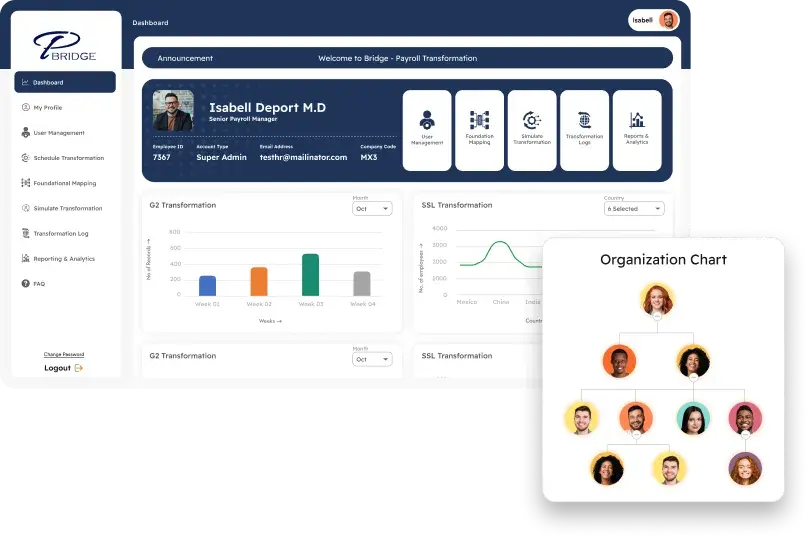
Global Payroll Command Center
Single-pane view of payroll status across every country, provider, and entity. Processing stage, exception count, and readiness score at a glance.
Reconciliation Dashboard
Real-time reconciliation status between HRIS headcount, payroll processing, and GL posting — with drill-down to individual discrepancies.
Cost Composition Analysis
Total compensation cost broken down by base salary, overtime, benefits, employer taxes, and statutory contributions — by country, entity, or department.
Variance Analysis
Period-over-period variance at every level with configurable thresholds. Automatic flagging of significant movements with AI-generated explanations.
Provider Performance
SLA tracking, data quality scores, and processing timeliness for every payroll provider in your ecosystem. Hold providers accountable with data.
Close Readiness Score
Pre-close confidence metric aggregating validation results, exception resolution status, reconciliation completeness, and approval chain progress.
Security & compliance
Enterprise-grade security for the most sensitive data in your organization.
- SOC 2 Type II certified infrastructure with continuous monitoring
- GDPR-compliant data processing with country-level residency controls
- End-to-end encryption in transit (TLS 1.3) and at rest (AES-256)
- Complete audit trail — every data movement, transformation, and approval logged
- Role-based access control with SSO integration (SAML 2.0, OIDC)
- Configurable data retention policies by jurisdiction
- Automated evidence pack generation for SOX, SOC, and regulatory audits
- Penetration tested quarterly by independent third-party firms
Integration ecosystem
Phoenix Bridge™ connects to every major payroll, HRIS, and ERP system — and adapts to proprietary platforms.
Enterprise FAQs
Does Phoenix replace our payroll providers?
No. Phoenix Bridge™ sits above your payroll providers as a unification and validation layer. You keep the providers that work — Phoenix ensures the data flowing between systems is accurate, reconciled, and audit-ready.
How long does it take to connect a new payroll provider?
Pre-built connectors for major providers can be configured in 1–2 weeks. Custom integrations for proprietary systems typically take 3–4 weeks including mapping, validation rule setup, and UAT.
Can Phoenix handle payroll for 50+ countries?
Yes. Phoenix currently supports clients processing payroll across 150+ countries. The canonical data model and statutory mapping framework are designed for global scale from day one.
How does the reconciliation engine handle timing differences between systems?
Configurable reconciliation windows account for processing lag between HRIS changes and payroll execution. The engine supports point-in-time snapshots, effective dating, and retroactive adjustment tracking.
What happens when a provider changes their data format?
Phoenix's integration layer includes schema versioning and change detection. Format changes are flagged automatically, and the connector team provides updated mappings — typically within 24–48 hours of notification.
How does Phoenix Bridge™ reduce payroll cycle time?
By automating data collection, normalization, validation, and reconciliation — tasks that typically consume 60–70% of the payroll close cycle. Clients report 72% average reduction in end-to-end cycle time.
Unify your global payroll. Close with confidence.
See how Phoenix Bridge™ maps to your current payroll provider ecosystem and closes the gaps in your data pipeline.